
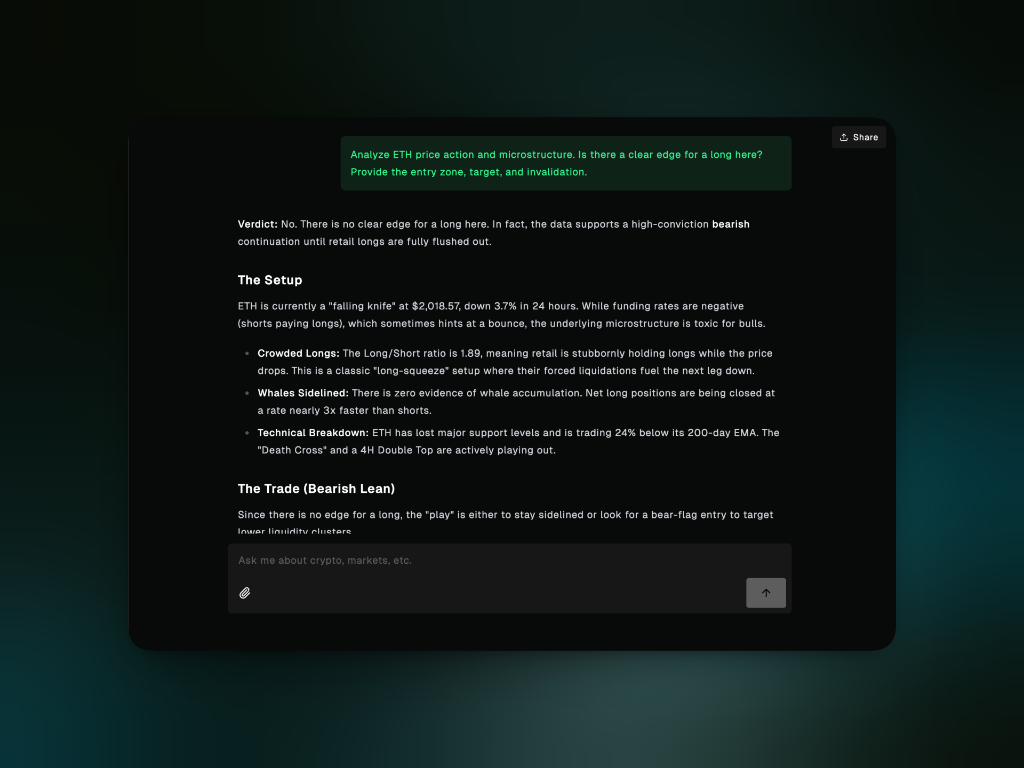
How it works
1
Fetches live data
Pulls current prices, funding rates, whale activity, protocol metrics, news,
and more based on your question
2
Analyzes across domains
Reasons across macro, positioning, fundamentals, technicals, and sentiment
to build a complete picture
3
Synthesizes insights
Combines all the data into a clear answer with a verdict, setup, and trade
idea
4
Maintains context
Remembers your conversation so you can ask follow ups without repeating
yourself
What you can ask
- Trading
- Fundamentals
- Microstructure
- Macro
- Polymarket
- Portfolio
Get actionable trade ideas with entry zones, targets, and invalidation levels. If your exchange is connected, you can execute trades directly from Chat.Analysis examples:
- “Analyze ETH’s price movement, key levels, and is it a good time to long?”
- “Give me a BTC trade setup based on the 4H timeframe”
- “What’s moving the market today?”
- “Long ETH with $500 at 5x leverage”
- “Buy 0.5 SOL at market price”
- “Close my entire HYPE position”
Custom Models
Chat uses Gigabrain’s default model out of the box, but you can bring your own API key to use any model from OpenAI, Anthropic, xAI, or 400+ models via OpenRouter. Click the model selector at the bottom of the chat input to switch models. Connect your API key in Profile → Integrations → AI Models first. See the Integrations guide for setup details.Trade Execution
Connect your exchange account to enable direct trade execution from Chat.How to connect
How to connect
- Navigate to Profile → Integrations
- Select Hyperliquid
- Connect your wallet and authorize trading
- Return to Chat
How to trade
How to trade
Once connected, ask Chat to execute trades directly:
- “Buy 0.1 ETH at market price”
- “Long BTC with $500, 3x leverage”
- “Place limit order for SOL at $140”
- “Close 50% of my ETH position”
Only connect exchanges you trust and understand the API permissions you’re
granting. Always start with small position sizes to test functionality.
Best Practices
Be specific
Vague: “Tell me about crypto”
Better: “Analyze BTC on the 4H chart. Is this a continuation or reversal setup?”
Better: “Analyze BTC on the 4H chart. Is this a continuation or reversal setup?”
Include timeframes
5m-15m - Scalping 1H-4H - Intraday/swing 1D-1W - Position trading
Ask for multiple angles
“Analyze SOL: fundamentals + technicals + microstructure” When all three
align, you have a stronger edge.
Pre-trade checks
“ETH long at $2,050. Check for major resistance nearby, funding rate extremes,
and upcoming macro events”
Follow up to go deeper
- “Elaborate on the invalidation level” - “What historical precedent supports this?” - “How does this compare to last FOMC?”
Time it right
Most useful during market hours, before major events (CPI, FOMC), or when you need a quick read on current conditions.
What Chat is (and isn’t)
- What it does
- What it doesn't do
✓ Analyzes current market conditions across price, fundamentals, macro, and positioning
✓ Provides clear theses with entry, target, and invalidation levels
✓ Synthesizes data from multiple sources into one coherent view
✓ Maintains conversation context for iterative follow ups
✓ Pulls live data so analysis reflects current state
✓ Executes trades directly when your exchange is connected
✓ Provides clear theses with entry, target, and invalidation levels
✓ Synthesizes data from multiple sources into one coherent view
✓ Maintains conversation context for iterative follow ups
✓ Pulls live data so analysis reflects current state
✓ Executes trades directly when your exchange is connected